Can You Get Banned from Google? Penalties and Recovery
Can you get banned from Google? Learn which penalties hit Search, Accounts and Business Profiles, the warning signs, and how to recover.
Yes, a website can effectively be banned from Google Search, though Google's own vocabulary is manual action, algorithmic demotion or removal rather than the word ban. No, a weak backlink profile won't cost you your Gmail account, because a Google Account ban, a Business Profile suspension, a Search penalty and a Google Ads suspension are four separate systems with four separate appeal routes. In 2024 Google applied broader site-level enforcement to more than 220,000 publisher websites and restricted more than 9.1 billion advertisements worldwide.
Search for can you get banned from Google and you'll meet one of two answers. The first says yes, Google bans sites constantly, then hands you a reconsideration request as if that were the only form in the building. The second says Google doesn't ban anyone anymore, it just ignores bad links, which is comforting right up until a client's organic traffic halves in a fortnight.
Both miss the thing that decides your next move: which system sent the message. A locked sign-in and an empty Search Console report are not the same problem, and they don't have the same fix, the same deadline or the same appeal.
Which Google Ban You Are Dealing With
Here is the verdict in one line: a site can lose Google Search visibility, but almost nothing that happens to a website touches the owner's Google identity. The word ban covers four different enforcement systems, and you need to know which one is holding your problem before you fill in anything.
| Symptom | Enforcement system | What is affected | Where to appeal or recover |
|---|---|---|---|
| Cannot sign in, or the account is locked | Google Account disabled | The entire Google Account, including Gmail and YouTube | Account appeal form; some violations allow only up to two appeals |
| Local listing missing or suspended | Business Profile suspension | Maps and local results for that profile | Business Profile reinstatement appeal |
| A message in the Search Console Manual Actions report | Search manual action | Specific pages or the whole site in Google Search results | Reconsideration request in Search Console after fixing the violation |
| An ad disapproved, or an advertising account suspended | Google Ads policy enforcement | Ad serving and the advertising account | Google Ads policy appeal |
| Traffic drops with no warning | Algorithmic demotion | Rankings for affected pages or links | No request exists, so fix the cause and wait for the next update |
Read that table from the symptom, not from the fear. A backlink problem is a Search problem. It shows up as a notice in Search Console or as a slow slide in organic clicks, and it doesn't interfere with opening your inbox.
The outcomes really are this different. A disabled Google Account can make the whole account unavailable and can end up permanently disabled if nobody acts, and some violations allow only up to two appeals, as Google explains in its help page for disabled accounts. A Search manual action affects visibility instead, where pages rank lower or drop out of results and the owner is notified inside Search Console. Business Profile restrictions run through their own reinstatement process entirely.
Rule of thumb: if you can still sign in to Gmail, Drive and YouTube, you're dealing with a visibility problem, not a ban.
Your first job is diagnostic, not corrective. Find the symptom, name the system, open only that system's report. Every step after that depends on this one match being right.
What Google Can Remove From Search
Search enforcement runs on two paths, and they behave nothing alike from the inside. One leaves a message. The other leaves silence.
Manual actions come from a reviewer
A manual action follows a human review that finds a violation of Google's spam policies. Google reports it in the Manual Actions report in Search Console, with an explanation of the violation and, where the case allows it, a route to request reconsideration. Depending on what the reviewer found, some pages or the entire site can rank lower or be omitted from results, as Google's spam policy documentation sets out.
Algorithmic demotion comes from a system
Automated systems can demote a site without a person ever opening it, and without telling you. Detection happens through automated systems or human review, so a site can lose visibility before anyone receives a warning. That's the usual explanation for falling traffic when the Manual Actions report is empty.
The grounds overlap between the two paths. Reviewers and classifiers both look for cloaking, hacked content, malware, doorway pages, user-generated spam and link spam.
Link spam earns its own definition because it causes so much of the trouble: creating links to or from a site primarily to manipulate rankings. Google's examples include buying or selling links for ranking purposes, excessive reciprocal linking, automated link creation, and contract terms that require a link without letting the publisher qualify it.
The practical range of outcomes runs from losing the ranking benefit of a handful of links, through partial removal of a section, to a sitewide disappearance from Search results. What it does not do is close your Gmail, delete your YouTube channel or remove your Maps listing.
The test that separates the two paths takes about two minutes. Open the Manual Actions report. An entry means a manual action exists and a reconsideration route is available. An empty report with falling organic traffic points to algorithmic demotion, where no request exists and the cause has to be found and removed.
Link Practices and Vetting Publishers
Links are the most misunderstood risk in SEO, largely because the same act can be spam or ordinary publishing depending on why it happened. Google classifies buying or selling links for ranking purposes, exchanging money or goods for links, excessive link exchanges and automated link-generation services as link spam, and it enforces that classification through either a manual action or automated systems depending on the case, as its Search documentation on spam policies explains.
| Practice | Google classification | Risk level | Safer alternative |
|---|---|---|---|
| Buying links for ranking | Link spam | High | Pay for placements and tag them rel=sponsored |
| Exchanging money or goods for links | Link spam | High | Qualify each paid link with rel=sponsored or rel=nofollow |
| Excessive reciprocal linking | Link spam | Medium to high | Link only where readers would benefit from the connection |
| Automated link creation | Link spam | High | Manual outreach with editorial review of each placement |
| Requiring links in contracts without qualifying | Link spam | Medium | Let publishers qualify or decline the link |
| Editorial link earned on its merits | Not spam | Low | None needed, keep it natural |
The control that covers every compensated link
One rule handles nearly every commercial scenario. If money, goods or a service changed hands for a link, that link carries rel="sponsored" or rel="nofollow", unless the placement is editorial and nobody arranged it to move rankings. The attribute doesn't make a weak publisher strong, but it removes the ranking manipulation that Google objects to.
That qualification step is usually the first thing to slip when outreach is handed to someone else. If volume is your bottleneck, this walkthrough of outsourcing link building covers how to keep the attribute check inside a managed process instead of trusting that it happened.
Anchor text needs the same discipline. A sudden run of identical exact-match anchors pointing at one commercial page looks engineered even when every individual link felt reasonable at the time. Mix branded, partial-match and natural-phrase anchors, and slow down when a new page starts attracting links faster than its content justifies.
Vetting a publisher before you pitch
Domain rating alone won't tell you whether a placement is worth taking, because authority scores can be inflated by tools that never visit the site. Score the things a reader would notice.
- Recent organic traffic: Check whether the site earns clicks from Google on the topics it publishes, not whether it once ranked for something in 2019.
- Topical relevance: A placement on a site your buyers read is worth more than a higher-scored domain in an unrelated niche.
- Disclosure: Look for a sponsored content policy and visible paid-placement labels. Sites that hide commercial content are the ones most likely to sell links discreetly.
- A live audience: Skip dead sites, private blog networks and domains with no readership. A page nobody visits can't pass value or credibility.
We vet every publisher on domain rating, referring domains, organic traffic and topical relevance before a pitch goes out, and we work white-hat methods only.
Our test: "Real sites with traffic beat DR games. Every time." A placement has to clear that bar before it clears anything else.
Score ten publishers before you send a single email
Build a sheet with ten candidate publishers and three columns: recent organic traffic, topical fit with the page you're trying to lift, and whether the site discloses paid placements. Fill every cell from public data before outreach starts. Anyone you can't score gets dropped, and anyone who scores well on traffic but badly on fit gets dropped too.
One question settles the borderline cases. Would this link exist if search engines didn't? If the honest answer is no, qualify it or walk away.
Warning Signs to Check in Search Console
Search Console is the Search-side smoke alarm. It will not show a suspended Google Account, a restricted Business Profile, or an Ads ban, so a clean dashboard here only clears one enforcement system. These checks separate a real Search penalty from ordinary ranking movement before anyone blames an update.
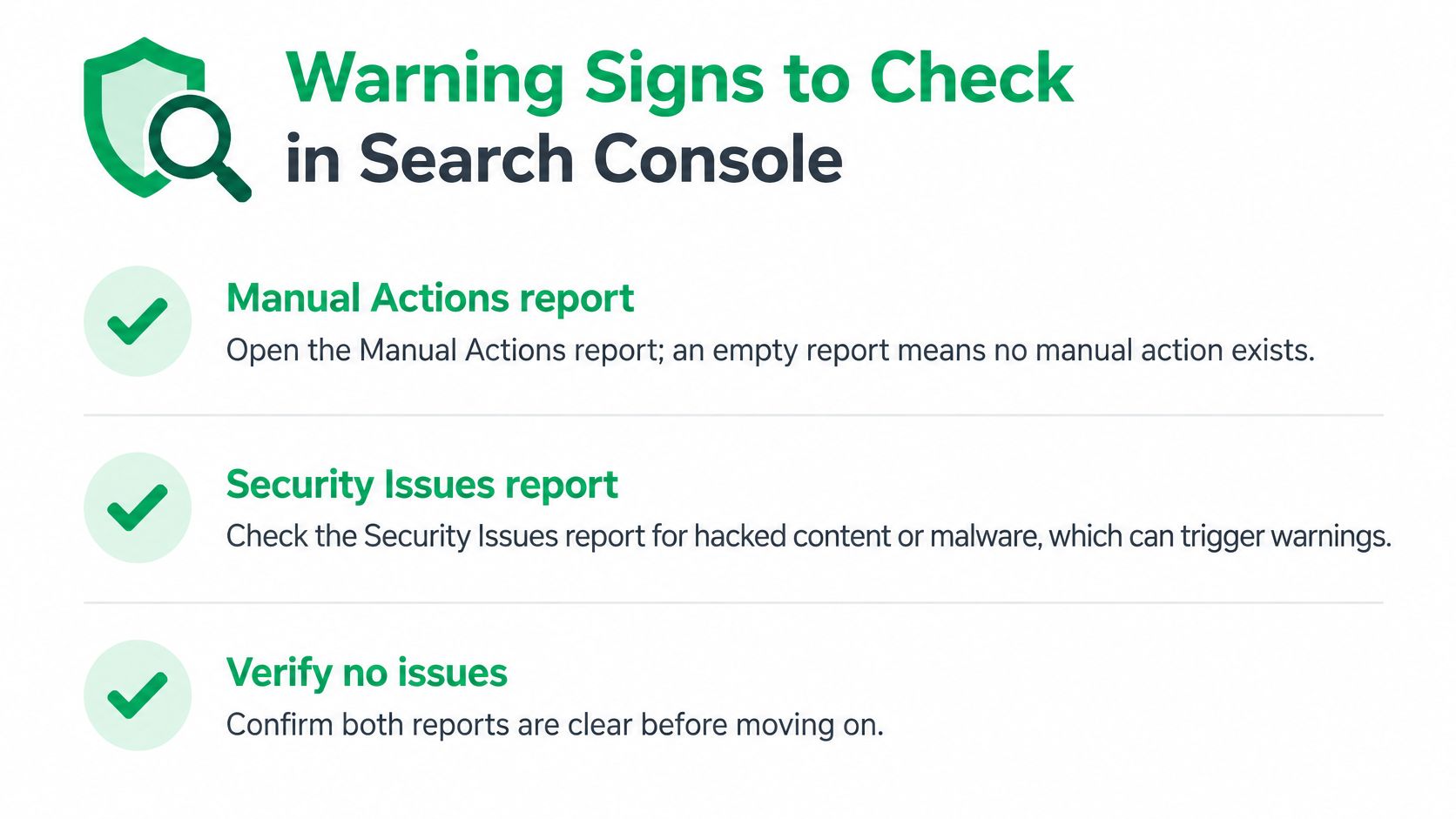
- Open the Manual Actions report. An empty report means no human reviewer has applied a Search penalty, so the next suspects are security, indexing, links, or normal competition.
- Check the Security Issues report. Hacked content and malware can suppress visibility even when your pages and links are otherwise clean.
- Compare organic clicks. In Performance, measure an equal stretch before and after the suspected change, then judge clicks rather than impressions.
- Establish the scope. A sitewide drop points to something structural. Losses confined to one section point to particular pages or the links aimed at them.
- Scan Page indexing. A sudden rise in excluded pages often travels with a quality or spam problem.
- Inspect Links. A fast spike in referring domains from unrelated, low-quality sites is the clearest early signal of a link problem.
- Read the anchors. One exact-match phrase repeated across many new links is a pattern reviewers recognise quickly.
Timing matters as much as the checks. A brief dip is noise. A sustained decline across several weeks, with the same pages losing clicks again and again, justifies a deeper investigation.
While you are in Links, confirm paid placements carry a qualifying attribute, because Google treats unqualified paid links as link spam. Our guide to follow and nofollow links explains which attribute does what.
A healthy profile looks boring: steady link growth, varied anchors, traffic landing on relevant pages, and no single domain supplying an outsized share of your backlinks.
How to Recover From a Manual Action
Recovery isn't a form. It's the removal or neutralisation of whatever triggered the action, followed by a request that describes the work. Reviews are done by people, and a request that arrives before the cleanup reads exactly like what it is.
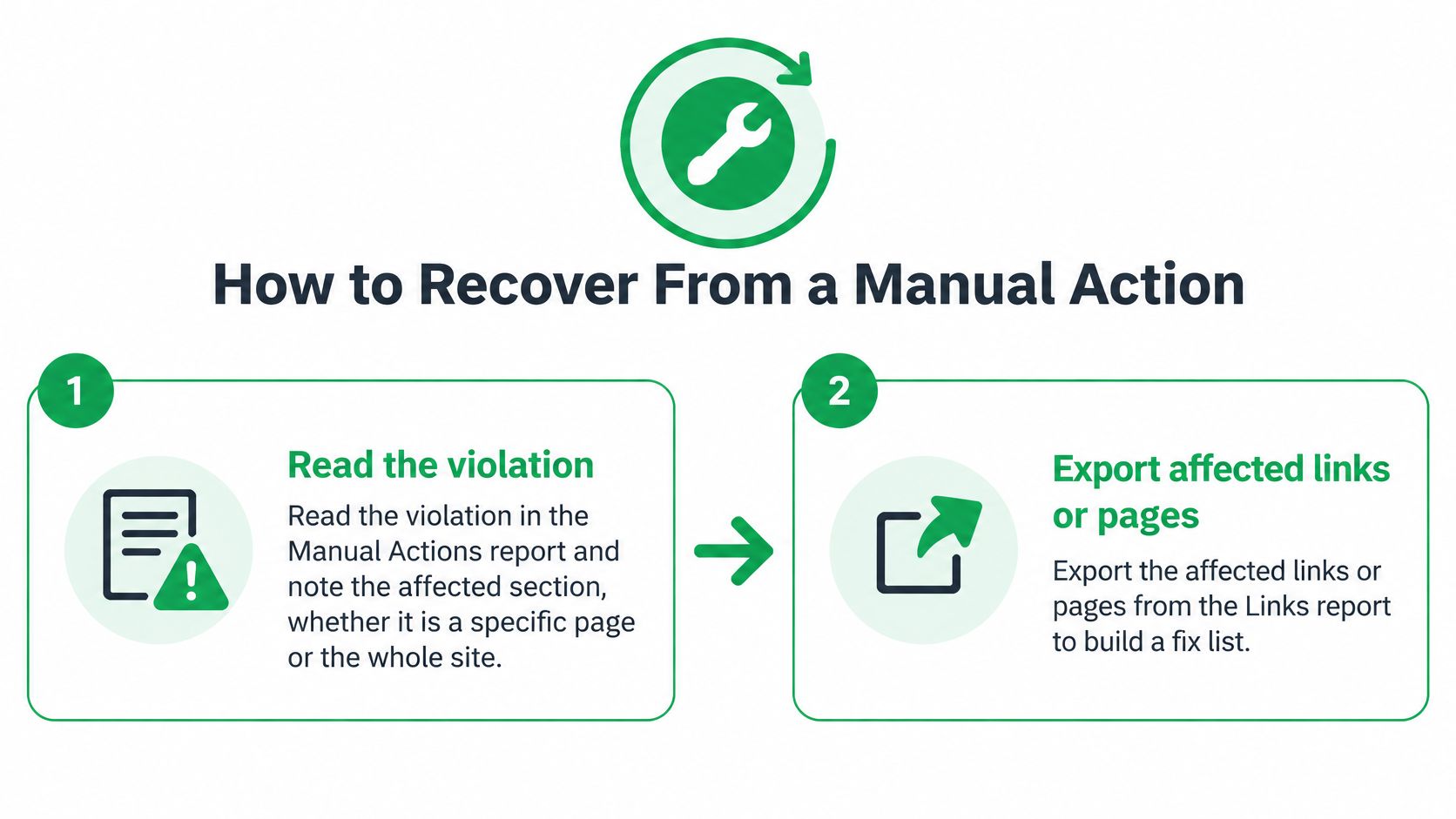
- Read the violation, not the summary email. The report names the violation and tells you whether a specific section or the whole site is affected. That scope decides everything that follows, so write it down before you touch anything.
- Export the evidence. Pull the affected links from the Links report and the affected URLs from the Pages report into one working sheet, so you're fixing a list rather than a memory.
- Remove what you control. Delete the paid placements, the doorway pages, the hidden text. For links on other people's sites, ask the publisher to remove the link or to add rel="sponsored" or rel="nofollow", and save the reply.
- Disavow only what won't move. The disavow tool is a last resort for links you tried to remove. Firing it at everything tells Google you don't know which links were the problem.
- Keep a dated record. One row per action: what was removed, who was contacted, when they answered. Reviewers act on specifics, not assurances.
- Write the request like an engineer. State what was wrong, what you did about it, and what now prevents a repeat. Apologies without facts don't move a review forward.
- Wait, then read any rejection properly. Reviews take weeks. A rejection names what's still unresolved, so fix that and resubmit rather than sending the same text again.
If you'd rather watch the cleanup in sequence than read it, this walkthrough covers the same ground.
A manual action isn't the only thing that costs traffic. Algorithmic demotion has no reconsideration request at all, so the fix is removing the cause and waiting for the next refresh to pick it up. Either way the work is identical: cut the practice out, not just the link.
Appeals for Accounts, Business Profiles and Ads
Treat each notice as a case at a separate counter in the same office: Search Console cannot answer an Ads suspension, and recovering a Google Account will not restore a missing local listing.
Google Account. The symptom is a failed sign-in or a disabled-account message. Open the account appeal form the same day, enter the details it requests, and submit one accurate account of what happened. Waiting, guessing or filing repeated contradictory appeals makes a recoverable suspension harder to resolve.
Business Profile. The symptom is a listing that disappears or shows as suspended. Confirm the business is real and eligible for a listing, then remove policy violations such as fake addresses, keyword-stuffed business names, or virtual offices presented as staffed locations. After the listing is clean, file the reinstatement appeal and describe the corrections in concrete terms.
Google Ads. The notice names the policy and the scope. A disapproved ad usually means correcting that ad and its landing page before requesting review; a suspended account means correcting the cited problem across the account before filing a policy appeal. Google restricts very large numbers of ads and suspends many advertiser accounts each year, so make the review easy to process: name the policy, state the change and identify everything affected.
Keep each case number, submission date and response in its own record. Clearing one system does not release another, so match the appeal route to the notice rather than searching for a general support channel.
Confirm Your Status and Act This Week
Name the system today. Match your symptom to the table at the top of this page and write down which of the four systems is holding your problem. That single sentence decides your next seven days.
Then move on the matching route, in order of urgency.
- Sign-in failure: start the account appeal before another day passes, since the clock runs against you.
- Business Profile problem: clean the listing first, then file the reinstatement appeal.
- Search Console message: begin the recovery sequence, starting with the scope named in the report.
- Silent traffic drop: audit the last six months of link acquisition, sorted by referring domain, and read the anchors on anything that looks bought.
Freeze new link placements until that audit closes. Adding links while you diagnose a link problem puts more risk onto a site that's already carrying some. If the audit shows the drop is about relevance rather than a penalty, the steps in this guide to improving Google search rank are the better starting point.
Put a recurring monthly check in the calendar covering three reports: Manual Actions, Security Issues and Links. A partial problem caught in month one is a cleanup. The same problem caught in month six is a rebuild.
Most Google enforcement is partial rather than total. That's good news, because a site with a clean, verifiable link profile is far easier to protect than one that already needs recovering.
Linkbuilding.services builds link profiles that hold up to this kind of scrutiny, with publishers vetted on organic traffic, referring domains and topical relevance before anything is pitched, and live placement URLs you can check yourself. If you'd rather not reconstruct six months of backlink history alone, Linkbuilding.services can review what you already have and map the placements that come next.